
An AI post purchase upsell Shopify setup only helps if the model has pairs to learn from. Small catalogs and “this must fit that” products still win with a handwritten If A then B rule. Use both: you lock the list, AI sorts the list.
Use manual If-A-then-B rules first; turn AI ranking on only inside a fenced allowlist, and only once real orders show repeating pairs. This article is for merchants choosing how the next product is picked after checkout. Manual rules win when you have few SKUs or a compatibility constraint (size, species, voltage, shade). AI ranking needs order history — repeat pairs, not ten test checkouts. Shopify’s own Search & Discovery recommendations are for product pages, not the one-click post-purchase slot. Oxify’s homepage (August 2026) lists AI upsell and frequently-bought-together and says rules can be “AI-powered when you want it, surgical when you don’t.” We have not published a lift number for that ranking. Wrap it in an allowlist.
Manual means you write the match. If they bought the camera, show the strap. If they bought the 30ml serum, show the 50ml refill. A person who knows the catalog set that pair.
AI / frequently-bought-together means software ranks products from past carts and orders. It is a guess based on what other people added. It is not a promise that the guess ships well with this cart.
The one-click page still has Shopify’s hard limits either way: one app in Settings → Checkout → Post-purchase page, wallets skip the page, a buyer can accept at most three offers. Ranking does not lift those limits. See Shopify’s product-offers docs and how one-click upsells work.
Vendors describe it differently, but the inputs are versions of the same four things: past orders (which products were bought together), current cart contents, browsing history, and sometimes customer history. That is why a new store gets weak picks — there is nothing to look at yet.
When a vendor page shows a big lift number, check whether it is one named store, an average across thousands, or no source at all. One store is an anecdote. No source is marketing. Neither tells you what your catalog will do.
We sell Oxify. So here is the honest line, copied from our own site in August 2026, not dressed up:
What we do not claim here, because we have not published it:
If a competitor’s landing page shows a 37% lift, ask for the sample. We will not invent one. Use Oxify AI as optional ranking on top of rules you already trust.
Shopify Search & Discovery can auto-generate related products on the product page. That is not the post-purchase extension. Complementary products in that app are ones you pick (up to 10). Do not assume those lists appear after checkout unless you copy them into your post-purchase app.
Shopify documents this in Customize product recommendations with Shopify Search & Discovery.
Useful facts from that page, for this decision:
Treat Search & Discovery as a source of pairs you then paste into post-purchase rules. It is not a switch that fills Settings → Checkout → Post-purchase page.
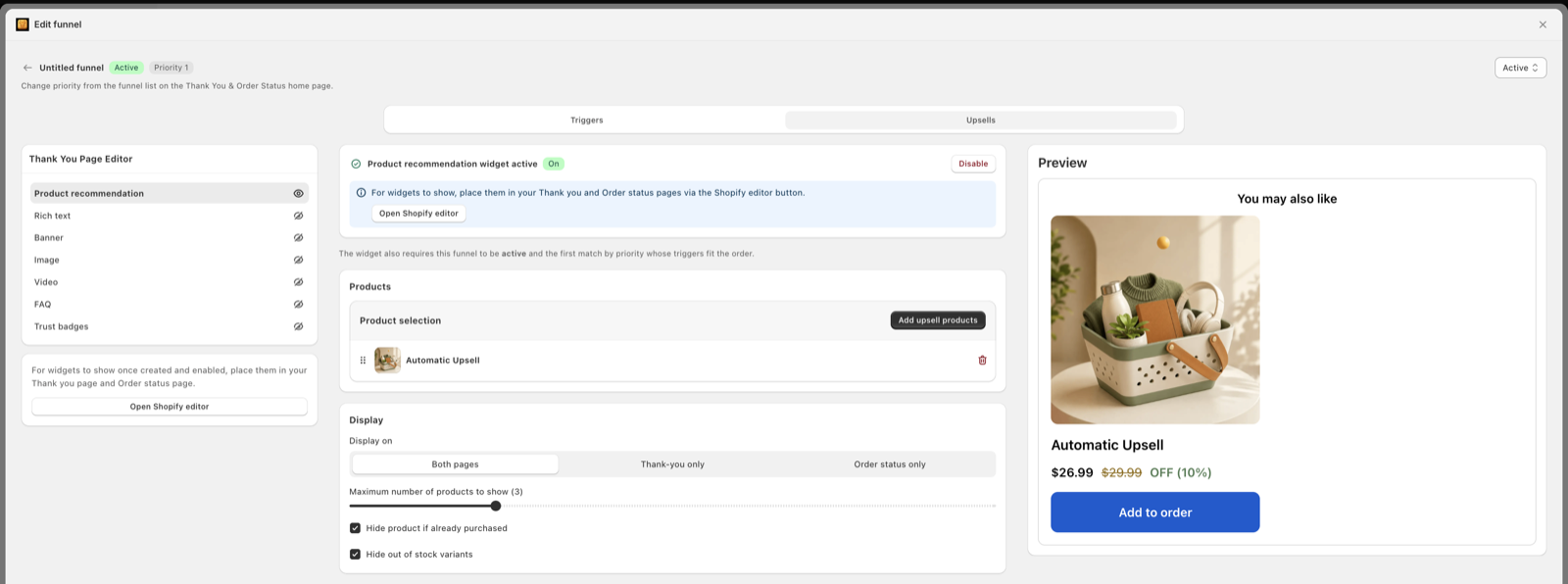
Thank-you blocks are a third surface. They can show a product recommendation widget to people who never saw the one-click page (Apple Pay and the rest). Setup lives in the checkout editor — customize the thank you page.
| Store shape | Start with | Why |
|---|---|---|
| Under ~30 SKUs | Manual | You already know the 10 real pairs |
| Sizes, voltage, species, shade | Manual | Wrong add-on cannot ship or will be returned |
| Kits / bundles with parts | Manual | Shopify cannot hide one item inside a bundle on thank-you pages |
| Large catalog, repeat carts | Hybrid | AI can sort a long allowlist you still fence |
| New shop, thin order history | Manual | Nothing to rank yet; copy complementary lists |
Thresholds are operator floors, not Shopify SLAs. If your pairs are obvious, stay manual even at 200 SKUs.
Manual also wins when you sell high-ticket items. A $400 add-on on a $90 cart is a rules problem, not a ranking problem. See post-purchase upsells for high-ticket products and offers by order value.
AI can help when the catalog is a maze: 400 SKUs, lots of true accessories, and the same baskets showing up in reports. Ranking then saves you from updating 400 If A then B rows by hand. It still should not pick a hamster wheel after a large-breed dog bed.
Apps rarely publish the exact count they need. Shopify does not publish a post-purchase AI sample size. So use a floor you can check in admin, then raise it if the picks look random.
Stay fully manual when any of these are true:
Turn ranking on inside an allowlist when:
Remember: wallet-heavy stores feed less post-purchase page data, even if total orders are high. Check your payments mix before you blame the ranker. That mix also decides email vs page — email vs thank-you page upsell.
You do not need a spreadsheet with 400 rows. You need the SKUs that actually sell.
Write four columns for your top 10 products:
That sheet is the allowlist. Paste it into the upsell app as product-in-cart rules. If a ranker is on, it may only reorder the “May show” column. If a packing slip would look wrong, the pair does not go on the sheet — even if “people also bought” it once during a bundle promotion.
Variant-heavy catalogs (shoes, apparel, device colors) should pin the parent add-on and let Shopify’s variant picker work only if your app supports it cleanly. Guessing “size 11” because most of the store sells 11 is how you get returns. Keep the map at product level until you can match variant options on purpose.
Five steps. No case-study theater. One hero SKU is enough to start.
Open Search & Discovery. For your top 10 products, note the complementary list (max 10). Those SKUs are the only ones the post-purchase offer may show. Copy them into the upsell app as a product-in-cart rule.
Out of stock. Gift cards. Subscription products (Shopify skips post-purchase on subscription orders). Wrong country for voltage or language inserts. Cart already contains the add-on.
If the app’s frequently-bought-together toggle can sort 3–5 allowed SKUs, turn it on. If it can reach the whole catalog, leave it off. Surgical first, ranking second — that is the homepage line, used as designed.
If “camera → strap” wins for four weeks, pin it. Stop asking the ranker. Use ranking for the long tail of slower SKUs. Personalization by first-time vs returning still sits in rules — first-time vs returning.
A high take rate with high refunds is a bad ranker, not a win. Pull those SKUs off the list. Compatibility always beats a clever pair.
Products that ship in the same box, fit the parent SKU, and have margin after any gift already on the cart.
Optional AI / FBT sort inside the allowlist. One offer on screen. Shopify’s UX guide says relevant products and a clear yes/no — not a catalog.
Repeat winners become If A then B. Ranking keeps working on SKUs you have not pinned yet.
Shopify’s post-purchase UX guide asks for relevant offers and a maximum of three consecutive screens. It does not stop a ranker from being silly. You do.
Do not wait for a blog “37% lift.” Run one SKU.
Week A: hardcoded complementary product. Same price, same headline.
Week B: AI ranks inside that same short list only. Still one product on screen.
Compare: offers shown, take rate, refunds, “wrong item” tickets. If you change copy at the same time, you learned nothing. Sample-size caution is in post-purchase A/B testing.
If week B is noisier and not better, pin the winner and leave ranking off for that hero. That is a good outcome.
A 24-SKU candle shop does not need AI. The pairs are lid, matches, and the next scent in the same family. A 400-SKU outdoor shop might. Even then, “tent → footprint in the matching size” stays manual. Ranking can order the leftover accessories: lantern, guy lines, repair kit — only if those three are on the allowlist.
Full disclosure: this is our app. The homepage lists AI upsell and frequently-bought-together, plus display rules by customer, cart, country, product, or order value. We recommend you use the surgical rules on day one. Turn ranking on later, inside an allowlist. We have not published an AI lift study.
Homepage wording checked 22 August 2026. App list: best post-purchase upsell apps. Offer copy still matters more than the picker — how to write upsell offers.
Use AI ranking when you have many SKUs and enough orders that pairs repeat. Use manual If A then B rules when the catalog is small, sizes must match, or a wrong add-on cannot ship. Most stores should lock an allowlist first, then let AI sort inside it.
There is no official Shopify number for post-purchase AI. As a working floor: if you have under about 30 SKUs, or fewer than about 50 qualifying card orders a month, start manual. Related-product ML on product pages also needs sales and cart data — Shopify Search & Discovery is not the post-purchase page.
Oxify’s homepage lists AI upsell and frequently-bought-together on the post-purchase surface, and says display rules can be AI-powered when you want them or surgical when you do not. We have not published a model card or a lift study. Treat AI as optional ranking on top of your rules, not as a promise of extra conversion.
No. Search & Discovery customizes related and complementary products on product pages. Complementary picks are merchant-set (up to 10). Related picks can be auto-generated. The one-click post-purchase page is a different slot, set in Settings then Checkout then Post-purchase page, and only one app can hold it.
When compatibility is the product. Voltage, size, species, shade, left vs right, refill that matches the device. AI that only looks at “people also bought” will still suggest a cat treat after a dog bed. Pin the pair yourself.
You should not let it. Shopify skips later post-purchase offers on orders that already include a subscription, and gift-card payments skip the page. Keep those SKUs off the allowlist so a ranker cannot pick them.
Run one hero SKU. Week 1: hardcoded complementary item. Week 2: AI rank inside the same two-to-five item list. Compare take rate and refunds on that SKU only. Do not change price, copy, and ranking at once. See the A/B testing guide for sample-size caution.
Do not wait for AI. Copy your complementary list from Search & Discovery (up to 10 products per hero) into the post-purchase app as manual rules. Add stock and shipping filters. Turn ranking on after you see the same pairs repeating in real orders.
Pick ten complementary products today. Block gift cards and empty stock. Leave AI off until the same pairs show up in real orders. That is the whole job.